Germany
Schrippe, Brezel or Bulette: the app knows German plates from north to south, with nutrition from the German Federal Food Code.
- Schrippe
- Brezel
- Bulette
- Quark
- Currywurst
- Spätzle
- Pfannkuchen
AI CALORIE COUNT · IOS & ANDROID
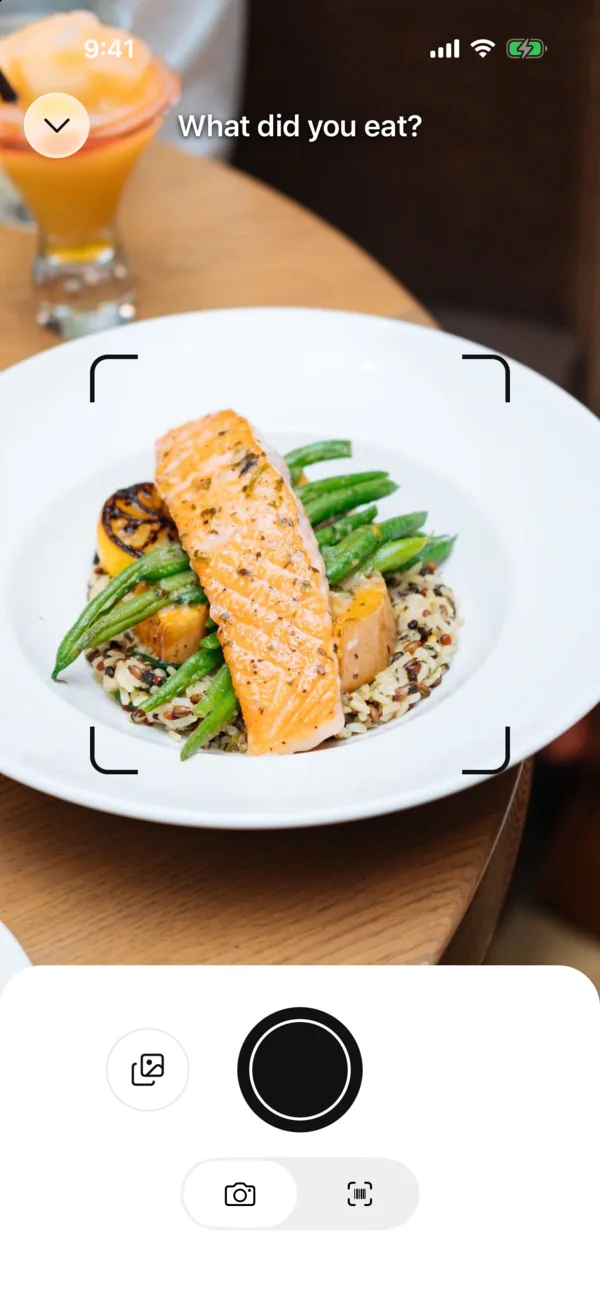

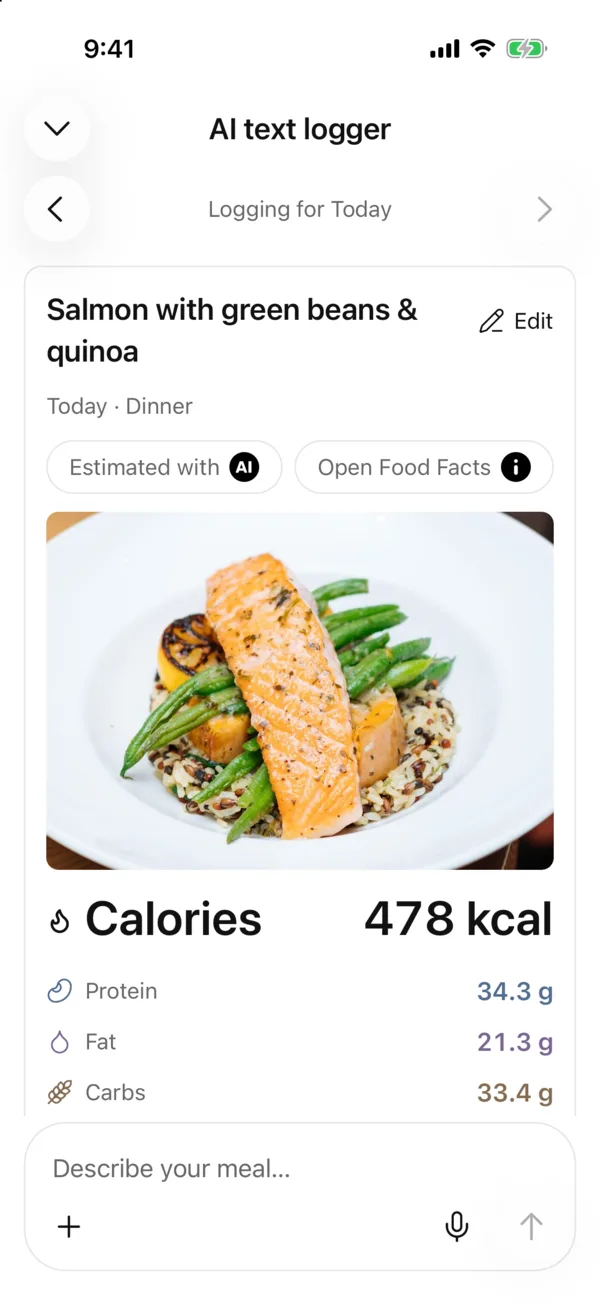
Snap it, check it, done. AI estimates foods, portions and calories. You decide what goes in your diary.
Made for Germany, Austria and Switzerland
Coming soon


The AI calorie counter for Germany, Austria and Switzerland. The AI understands what you call your food, and nutrition comes from the German Federal Food Code (BLS), the Swiss Food Composition Database and products sold in all three countries.
Schrippe, Brezel or Bulette: the app knows German plates from north to south, with nutrition from the German Federal Food Code.
Semmel, Topfengolatsche or Erdäpfel: the AI understands Austrian words, and food search finds them too.
Gipfeli, Rüebli or Cervelat: Swiss food with nutrition from the Swiss Food Composition Database and products sold in Switzerland.
Goal
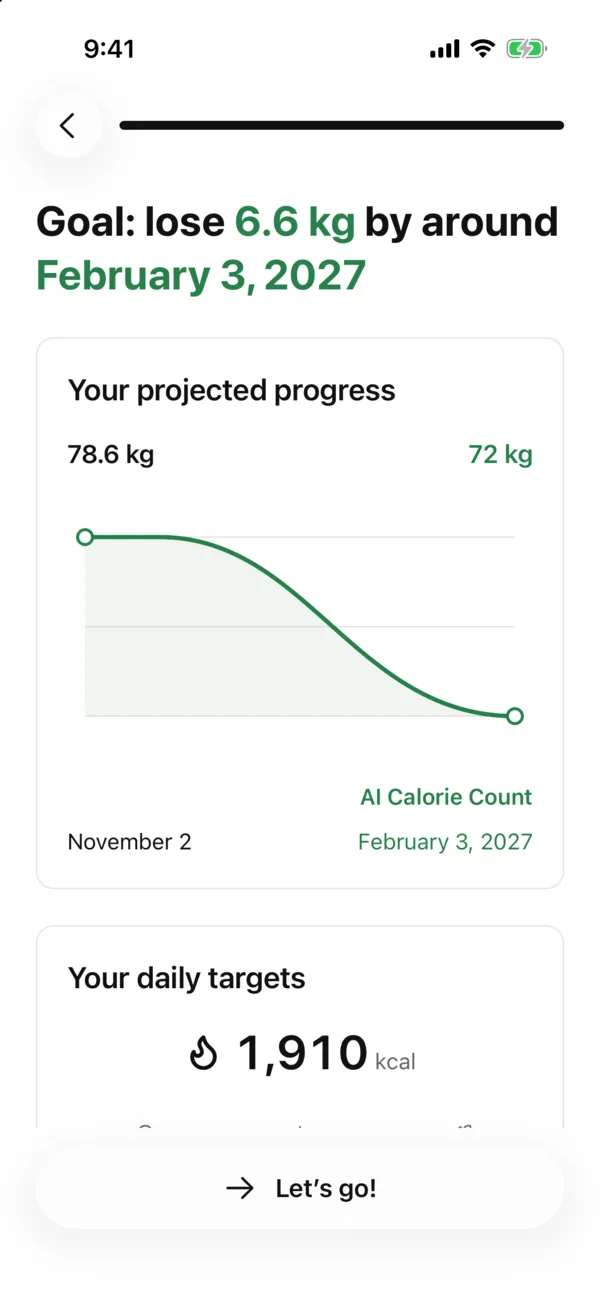
Lose, gain or maintain: you pick the direction. The app works out your daily calories and macros, and you can change them any time.
AI photo
Snap your plate or pick a photo from your gallery. AI suggests foods and portions, you check and save.
AI text
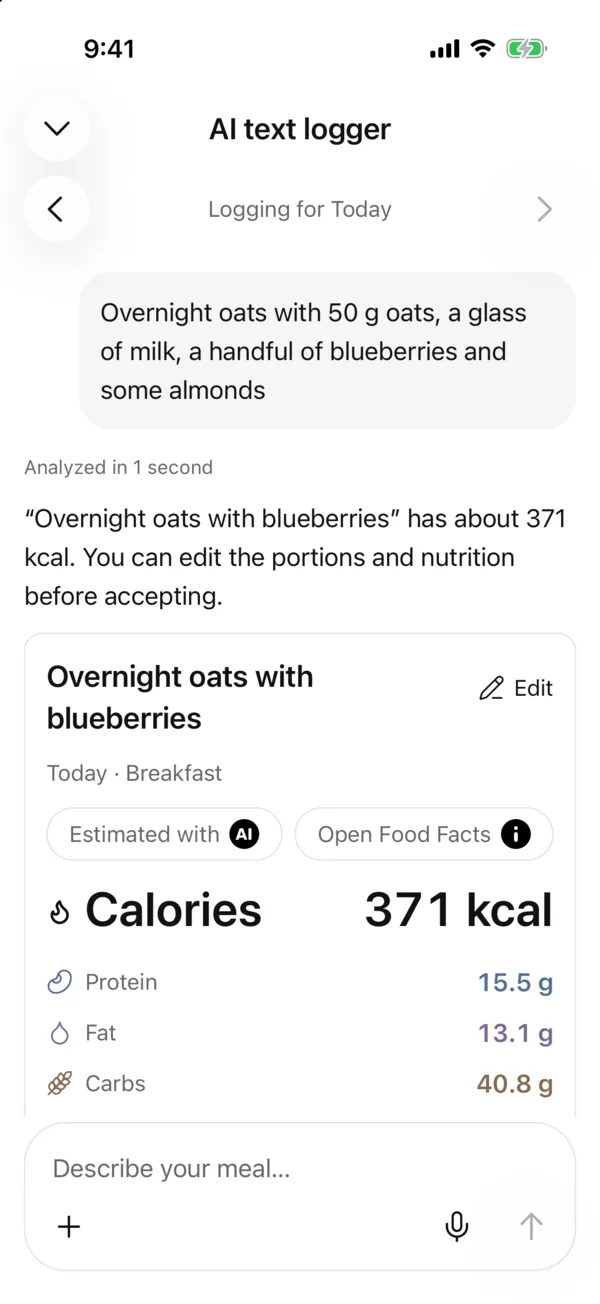
Just write what you ate. AI turns it into foods, portions and nutrition. You check everything before it is saved.
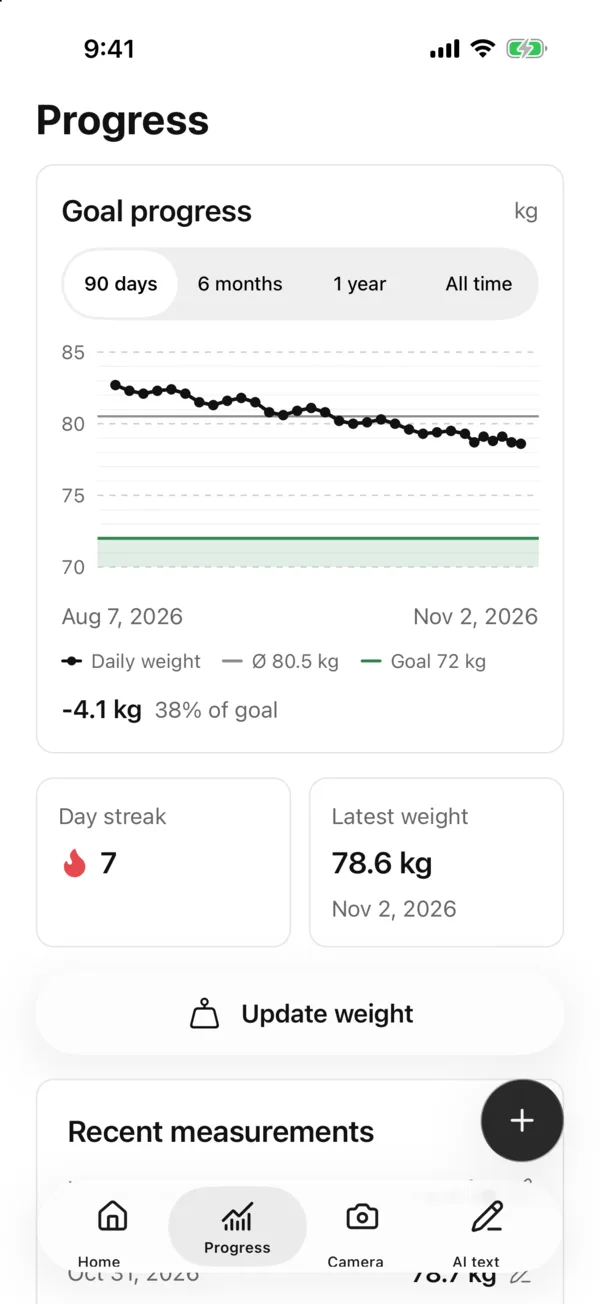
Progress
Your weight history and your path to your goal at a glance. Pick a time range and see how far you have come.
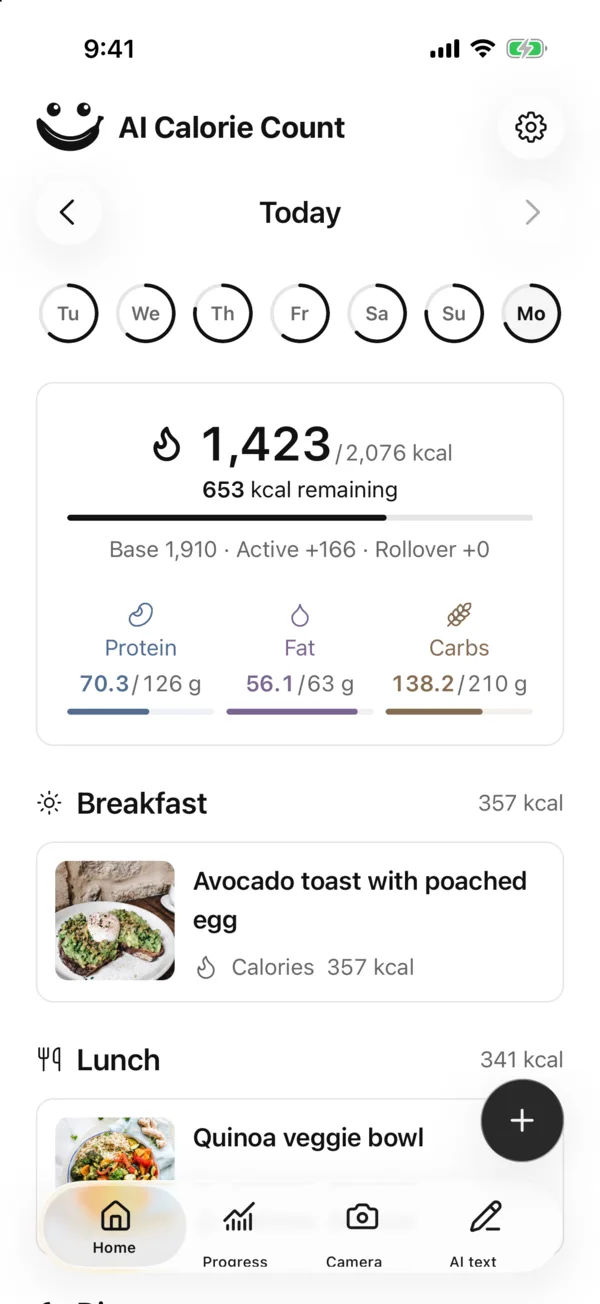
Track
Meals, calories and macros in one clear diary. Your daily goal always in view, every entry editable any time.
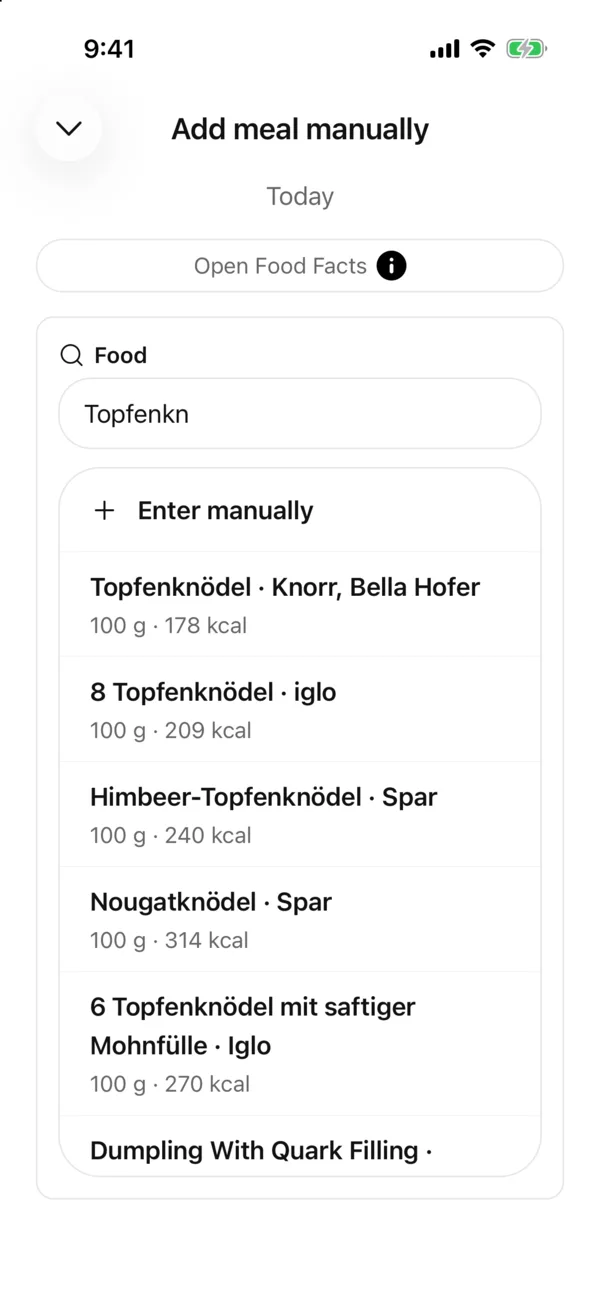
Search
Search a food, pick a match, set your portion. Nutrition follows the amount you actually eat.
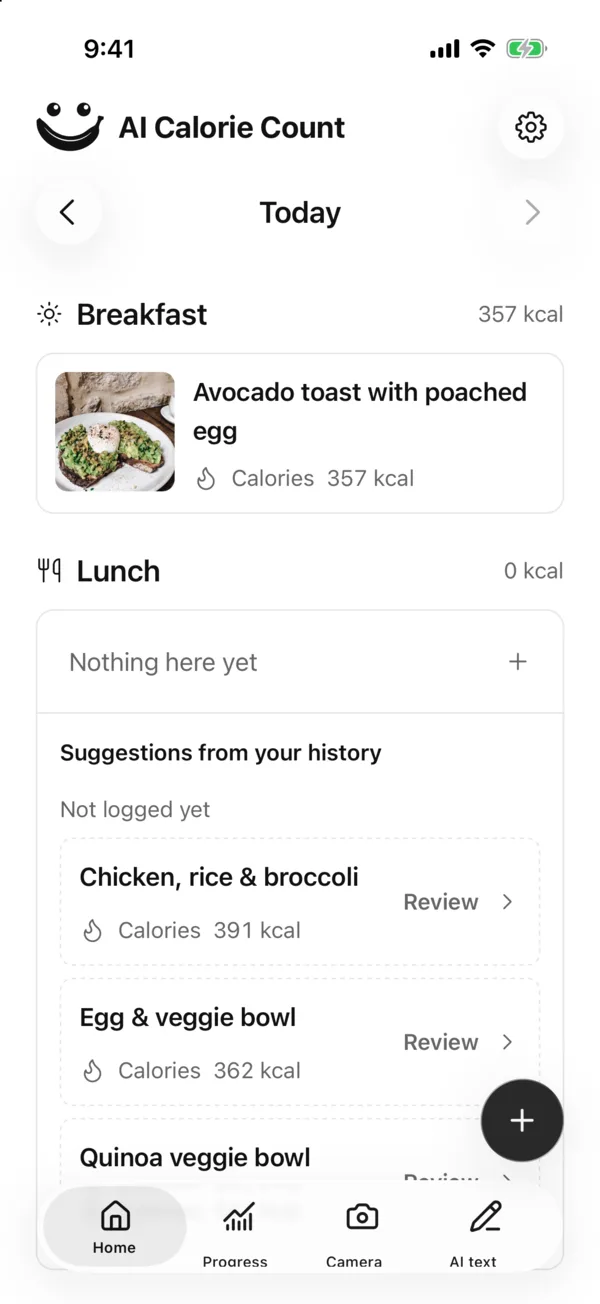
Suggestions
When a meal is still open, your diary suggests what you logged for it on earlier days. Pick one, check the portion, save. No searching, no retyping.
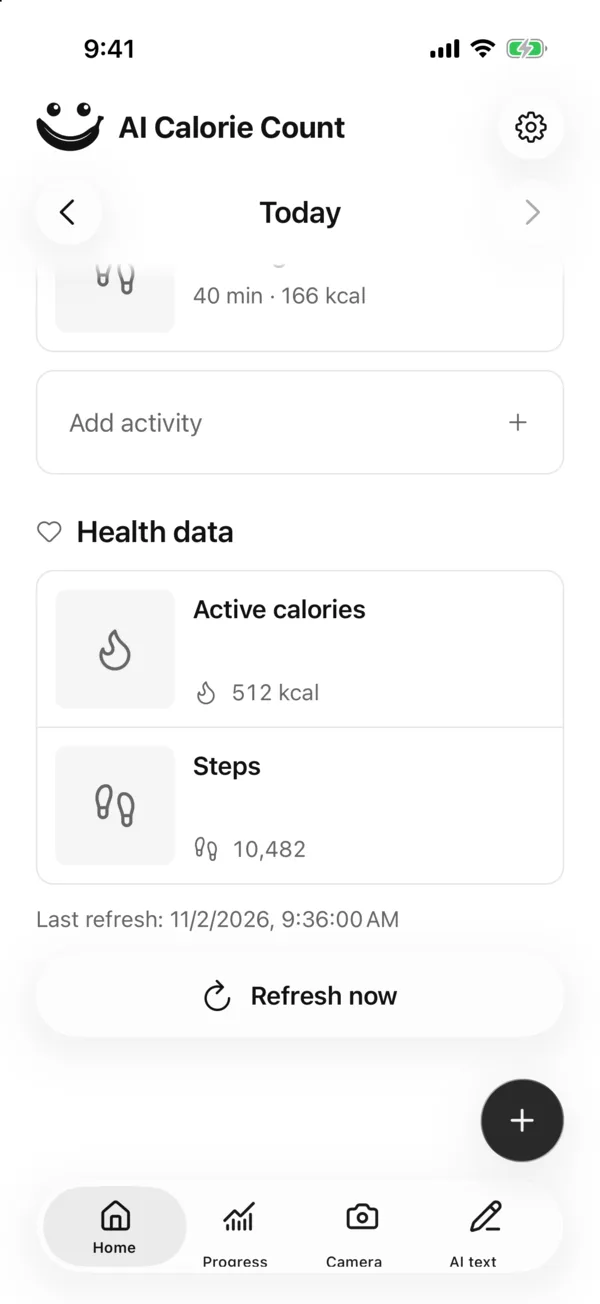
Apple Health
Connect Apple Health on your iPhone. With your permission, the app reads steps, active and resting calories, and weight. Imported data stays on your device.
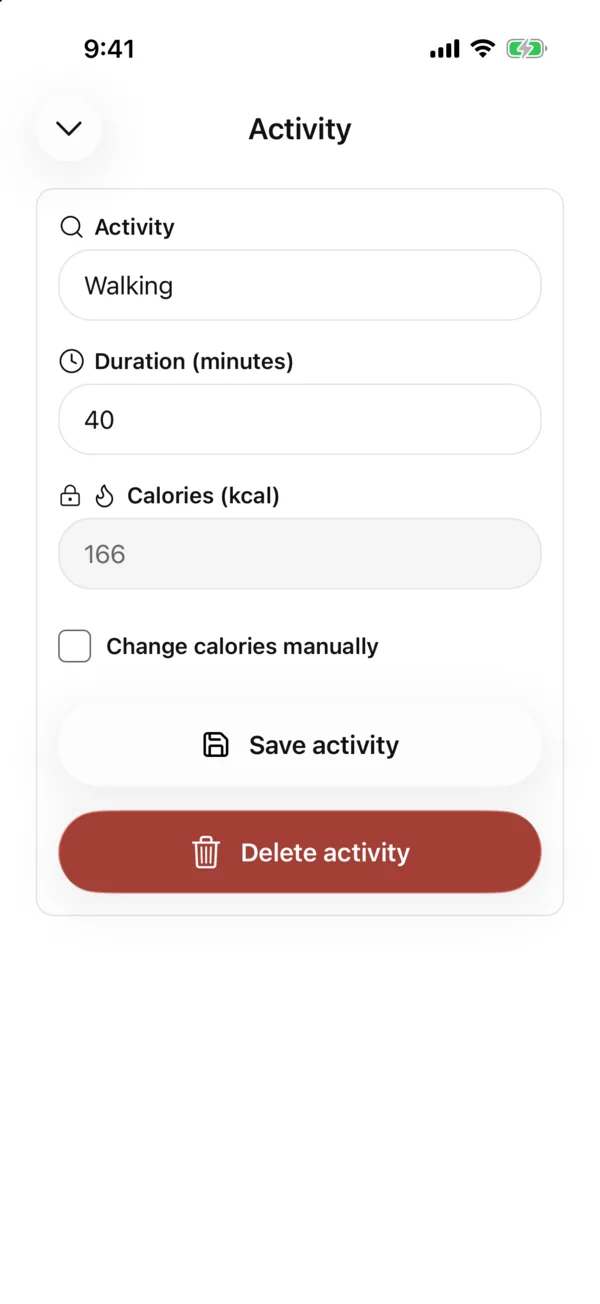
Activities
Log activities like walking or cycling with their duration. Burned calories are estimated, and you can adjust them yourself if needed.
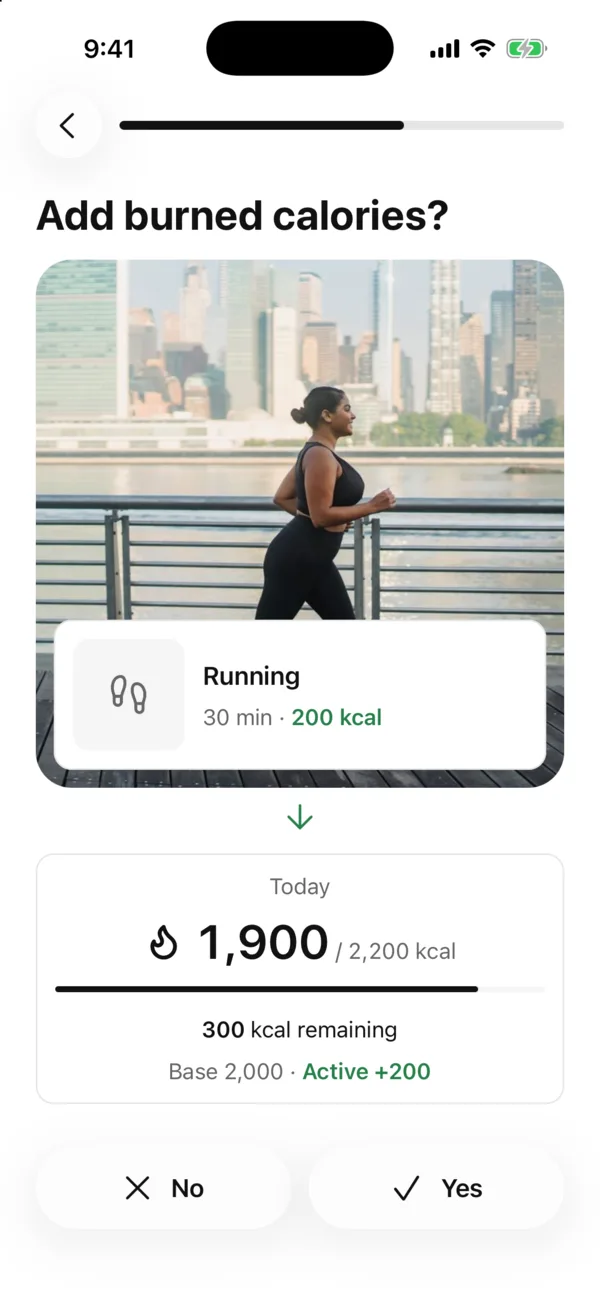
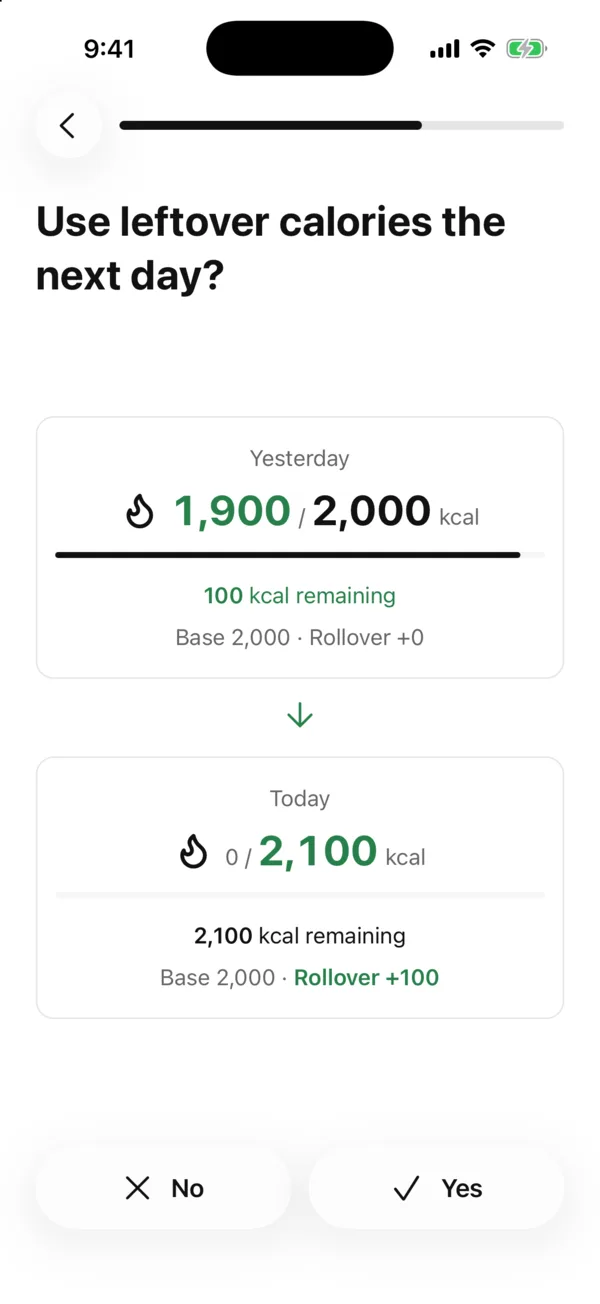
Daily budget
Choose how your daily budget works: add active calories from logged activities and connected health data, and carry up to 200 unused kcal into the next day. Overspending is never carried forward.
Your walks, workouts and weigh-ins already tell your story. Connect Apple Health on iPhone or Health Connect on Android, and your steps, active and resting calories, and weight flow straight into your day. No typing twice, no guessing.
 iPhoneAI Calorie Count
 Health Connect
Only with your permission. The app only reads, and imported data stays on your device.
Photo, text or search: use whatever fits right now. Calories and macros are added up for your portion.
Connect Apple Health or Health Connect. With your permission, the app reads steps, active and resting calories, and weight.
Health ConnectUnderstand your meals and keep your goal in view. Build a routine that works for you, step by step.
AI suggests, you decide. Review foods and portions before saving, and adjust entries whenever you need to.
Follow your weight history and log activities like walking or cycling. See what’s changing over time.
Meals and your diary are stored locally on your device. Photos or text are only sent for an AI analysis you start.
Short, honest answers.
No. The diary, manual entry, food search, barcode scanner, weight and activities all work without an account. Only AI photo and text analysis needs you to sign in, with Apple, Google or a code sent to your email, and no password. Either way, your diary stays on your device.
Take a photo or choose one from your gallery. AI suggests foods, portions, calories and macros, in German and English. A photo cannot show every ingredient, so review the result before saving.
Yes. Edit detected foods and portions before saving. Nutrition reflects your actual portion. You can also edit saved entries.
Yes. Scan a barcode, search for foods, reuse a suggestion from your history, or enter them manually. You can also describe a meal in your own words for an AI analysis.
Every AI analysis has a running cost for us: your photo or text is sent through our server to OpenAI, and each request is billed to us. Because the app has no ads and no tracking, Premium covers that cost. Calorie tracking, food search, the barcode scanner, manual entries and syncing with Apple Health or Health Connect stay free.
Your saved diary and manual entries work offline. AI analysis, food search and barcode scanning need an internet connection.
Apple Health on iOS and Health Connect on Android. With your permission, the app reads steps, active and resting calories, and weight. Availability depends on your device, permissions and existing measurements.
You decide under Settings → Daily budget. Exercise calories add active calories from logged activities and connected health data, 100% of the health app calories by default. With a health app connected, the base comes from it too: calories burned minus active calories, plus your goal adjustment. Without one, the base is calculated from your profile. Rollover carries up to 200 unused kcal from a day with logged meals into the next day; overspending is never carried forward.
Yes. Apple Health and Health Connect estimate the calories you burn, and those estimates can run high. With a health app connected, your base is the calories burned that day minus active calories (today is projected to a full day), and the active calories are added on top. By default the app counts both in full. Under Settings → Daily budget you can change each share with its own slider from 0 to 100%. Your goal adjustment and activities you log in the app always count in full, and earlier days keep the shares they were calculated with.
Yes, with an account. Under Settings → “Move to a new phone”, export your plan, settings, meals with photos, activities, weight and health history to one encrypted file. On your new phone, sign in with the same account and import the file. The key belongs to your account: without signing in, the file can’t be opened, and your diary never reaches our server.
Your diary and confirmed meals stay locally on your device. Without an account, we store nothing about you; with one, only what sign-in needs. For AI analysis, your photo or text is sent through our server to OpenAI. Our server does not save these inputs. Dictation is transcribed on-device; audio is not uploaded.
Your plate, one photo, done. Coming soon for iPhone and Android.
Coming soon for iOS & Android